Photo
Laurentiu Nicolae
Co-founder
A pilot who started as a web developer, then moved into digital marketing and entrepreneurship. He built the aviation portal FlyingAssist from scratch.
DEP · HERO
Debrifly is flight school management software with AI-assisted debriefs. Syllabus, bookings, fleet, records and billing in one place, for ATOs, DTOs and flying clubs.
The instructor reviews and signs every debrief.
Lesson mode
Dual · Circuits and landings
Note
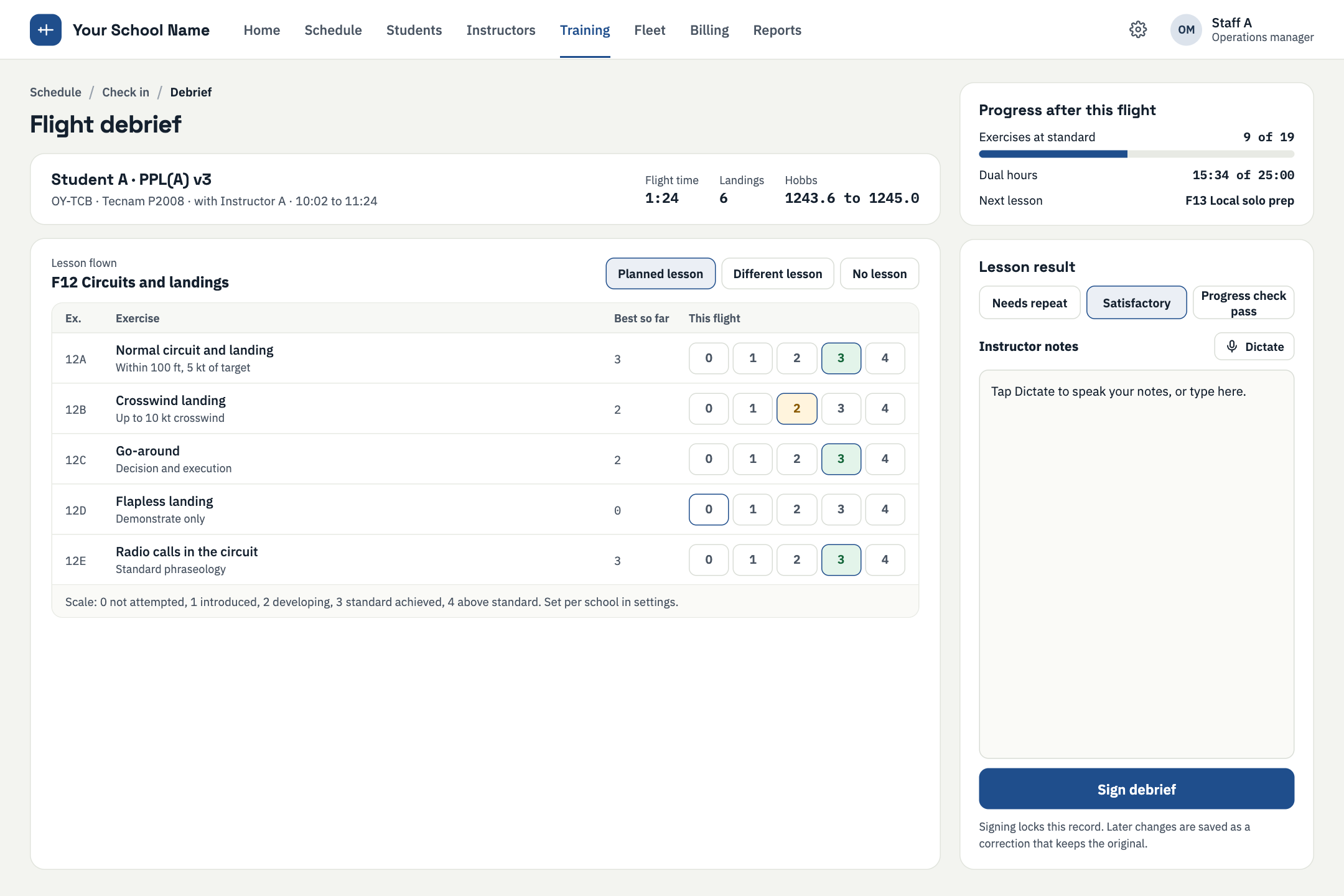
Flare started high on the first two landings and improved on the third. Repeat exercise 13.
WPT 02 · QUESTIONS
How much instructor time goes on writing up flights?
How long does it take you to get ready for an audit?
Do you know, right now, which aircraft are really available to book?
WPT 03 · DEBRIEF
The instructor dictates. Debrifly structures it against the syllabus. The instructor reviews, edits and signs. Nothing is final until it is signed.
WPT 04 · SYLLABUS
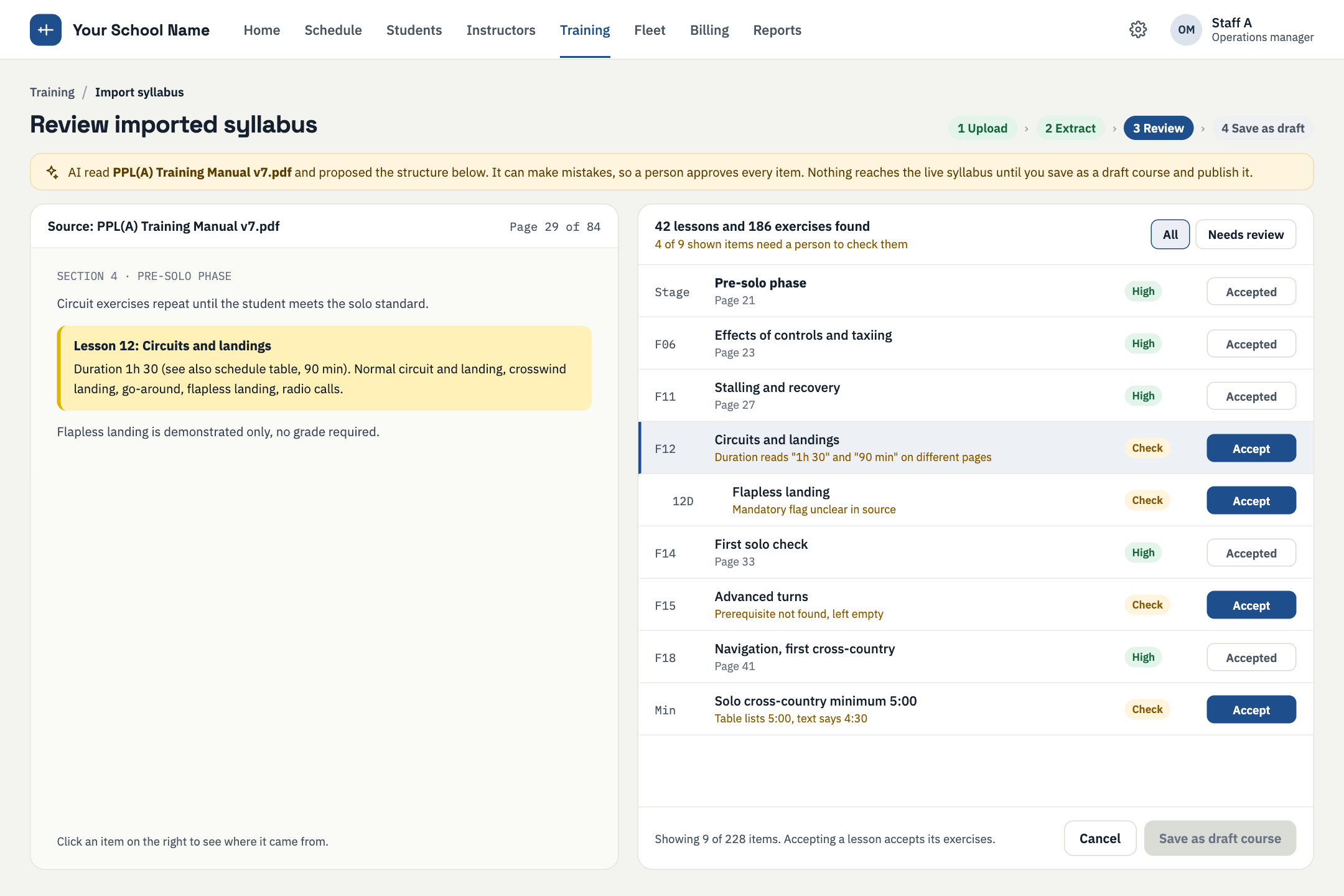
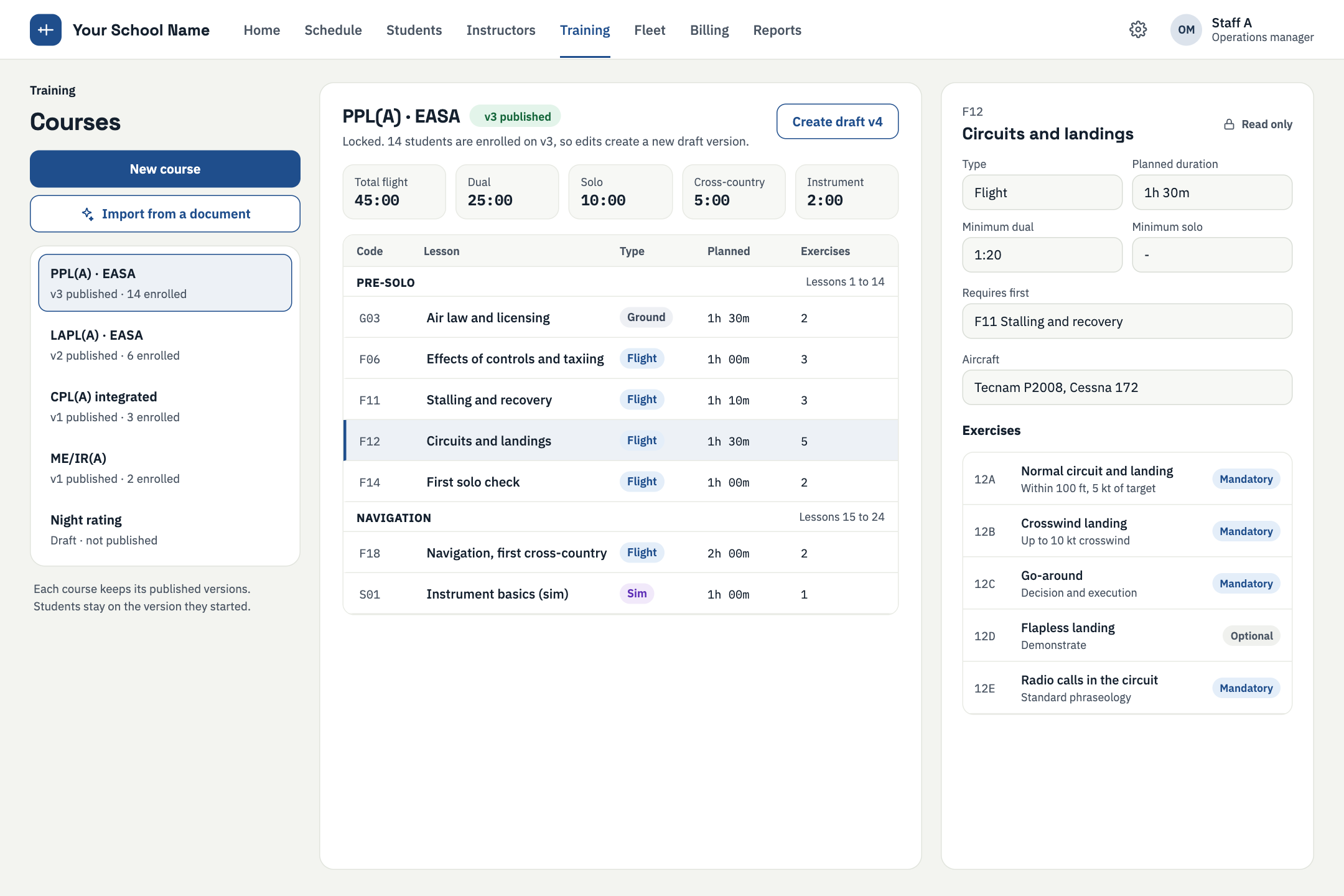
Upload a syllabus PDF. Debrifly extracts the lessons and exercises and flags how confident it is in each one. You accept or fix each item, then publish it as a versioned course.
A person on your team reviews everything before anything is saved.
WPT 05 · FLEET
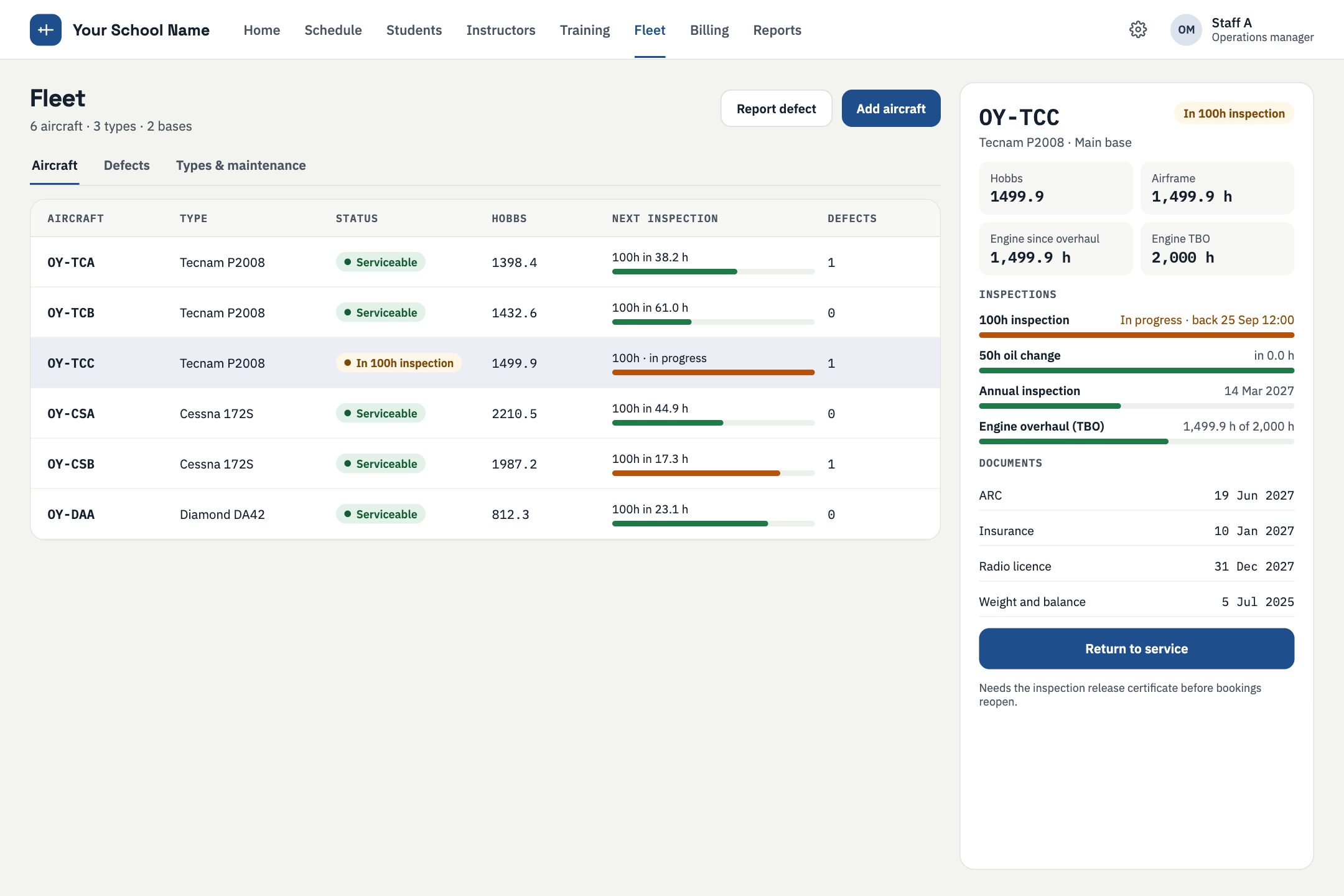
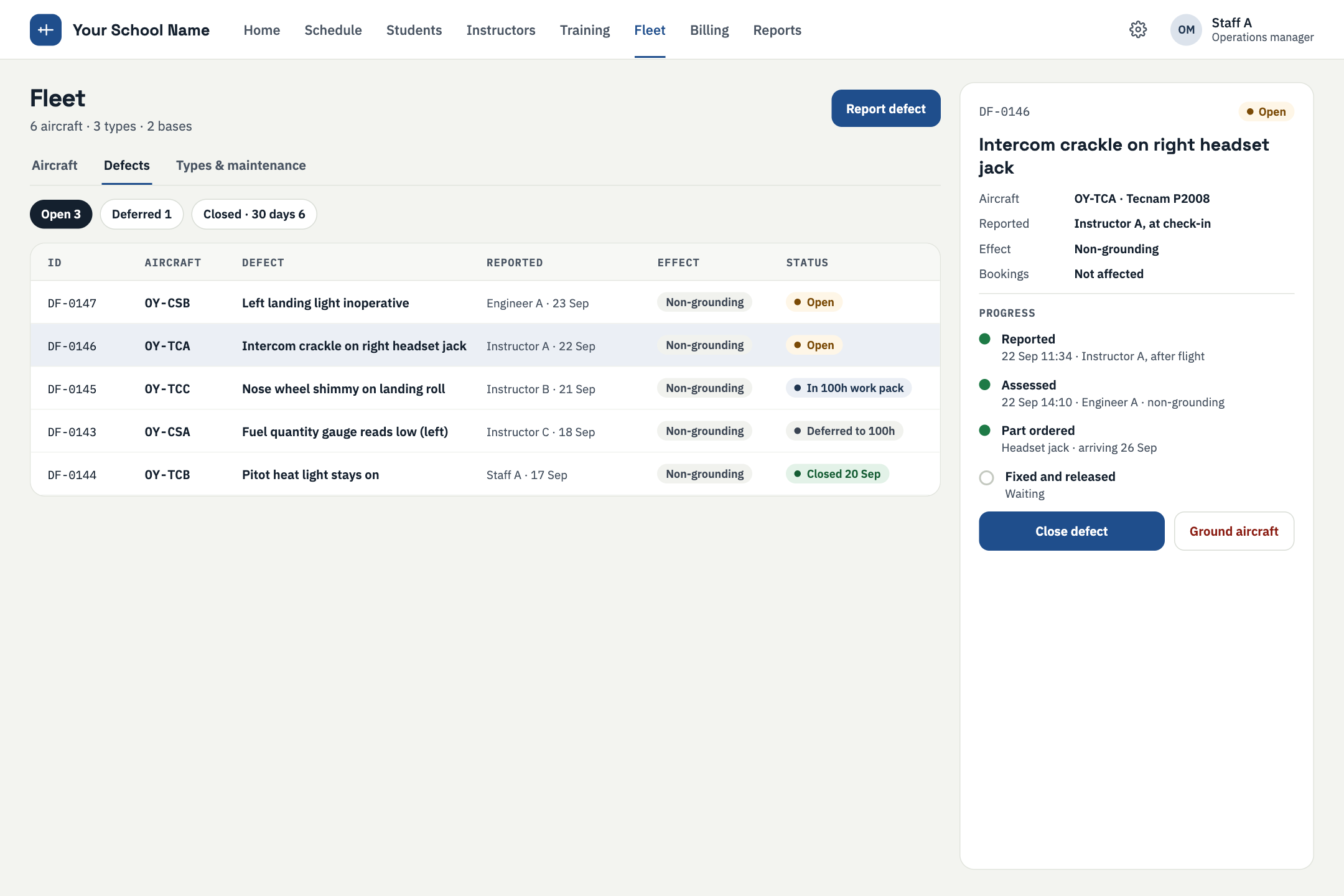
Aircraft, documents, inspections and defects drive availability. If an aircraft should not fly, it cannot be booked.
WPT 06 · LEDGER
WPT 07 · APRON
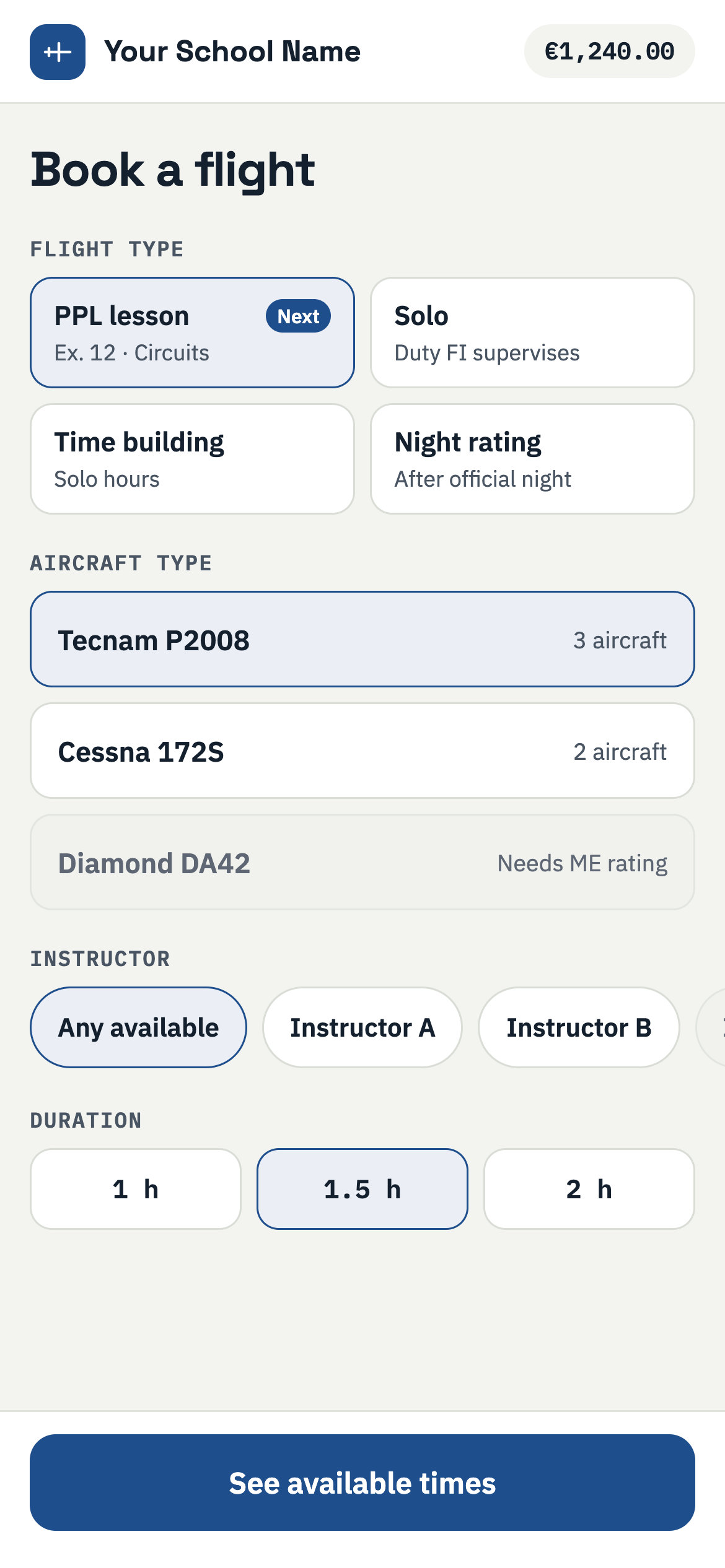
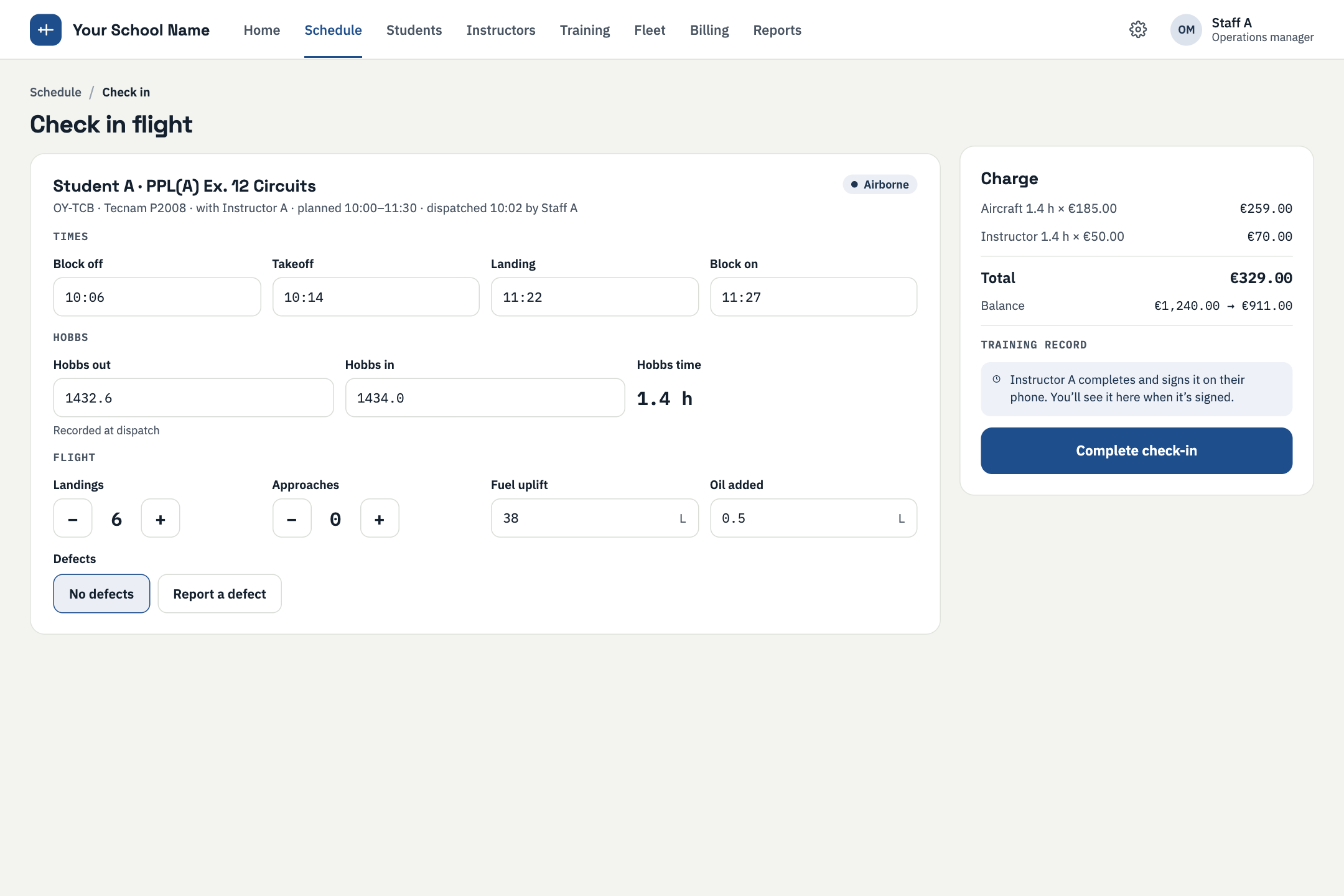
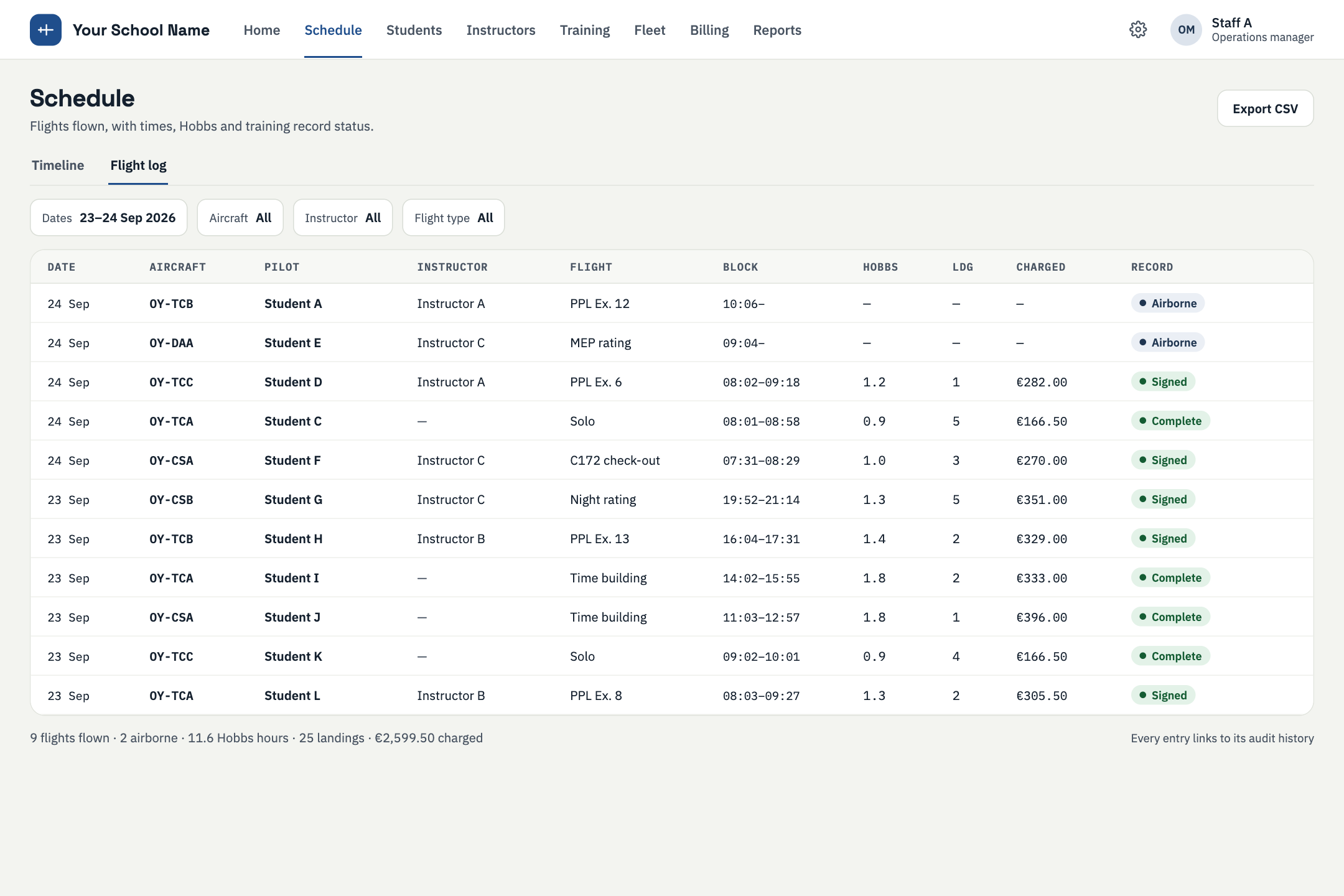
The instructor flow on a phone: check in, fly, log the flight and start the debrief without going back to a desk.
WPT 08 · BRAND
For larger schools, white-label web and mobile is available as an add-on.
Illustrative example.
WPT 09 · WHAT IF
Right now
What if
Seven steps from an empty system to audit-ready records.
WPT 10 · IMPORT
Upload your syllabus, review what was extracted, publish it as a versioned course.
WPT 11 · FLEET
Aircraft, their documents and inspection dates go in once and drive availability.
WPT 12 · ENROL
Each student keeps the programme price they enrolled at.
WPT 13 · BOOK
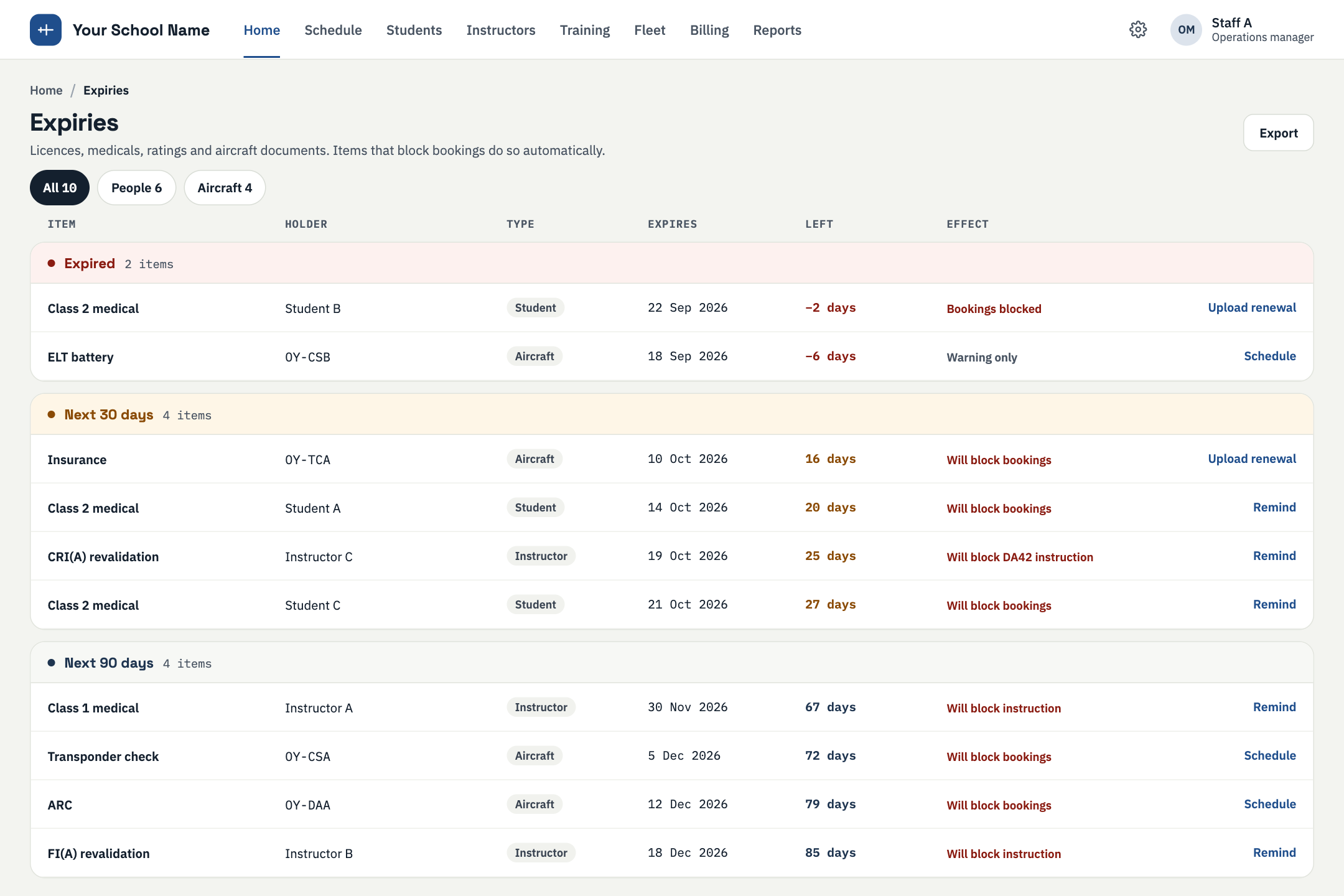
Bookings stop on expired documents, due inspections and open defects.
WPT 14 · FLY
Check in, fly, and record the flight from the apron or the cockpit.
WPT 15 · SIGN
Dictate or type the debrief, grade each exercise, review and sign.
WPT 16 · TRACK
Progress against the syllabus, expiries and records are in one place.
WPT 17 · SWITCH
Import your syllabus and your fleet. Your data stays yours, and you can export it at any time.
WPT 18 · FOUNDERS
Co-founder
A pilot who started as a web developer, then moved into digital marketing and entrepreneurship. He built the aviation portal FlyingAssist from scratch.
Co-founder
A software developer with a background in computer programming and artificial intelligence, focused on machine learning and generative AI. He is also a co-founder of Nutritio.
Debrifly is part of the FlyingAssist family.
WPT 19 · COMPARE
Capabilities only. Products in each group differ, and "varies" means exactly that.
| Capability | Spreadsheets | Generic tools | Traditional flight school platforms | Debrifly |
|---|---|---|---|---|
| Debrief graded per exercise against the syllabus | Manual | Not designed for it | Varies | YesIn build |
| Instructor dictation structured into the debrief | No | No | Varies | YesPlanned |
| Signed debriefs are immutable; corrections are new entries | No | Varies | Varies | Yes |
| Bookings blocked by documents, inspections and defects | Manual checks | No | Varies | Yes |
| Append-only student ledger with override reasons | No | Varies | Varies | YesIn build |
| Expiry tracking for licences, ratings, medicals and radio | Manual | Varies | Varies | YesIn build |
| Versioned syllabus with student progress | Manual | Not designed for it | Varies | YesIn build |
WPT 20 · FACTS
Debrifly is flight school management software for ATOs, DTOs and flying clubs. It covers syllabus and course management, student progress, fleet and maintenance-aware bookings, documents, inspections, defects, a student wallet and ledger, expiry tracking and audit-ready records. Its central feature is the debrief.
Approved training organisations, declared training organisations and flying clubs, and the people who run them: owners, heads of training, accountable managers, chief flight instructors, instructors and administrative staff. EASA is the first regulatory focus. The Middle East and FAA follow later.
The instructor dictates the debrief. The system structures it against the syllabus: lesson mode, exercises, grades and notes. The instructor reviews it, edits it and signs it. Nothing is final until the instructor signs. This feature is planned and is not yet available.
No. The AI is decision support only. It helps structure what the instructor dictated. The instructor sets every grade, reviews every debrief and signs it.
You upload a syllabus PDF. Debrifly extracts lessons and exercises and flags how confident it is in each one. A person on your team accepts or fixes each item, and only then is the course published as a versioned course. AI syllabus import is planned and is not yet available.
Aircraft documents, inspections and defects drive availability. If an aircraft has an expired document, a due inspection or an open defect, it cannot be booked, so you cannot book what you should not fly.
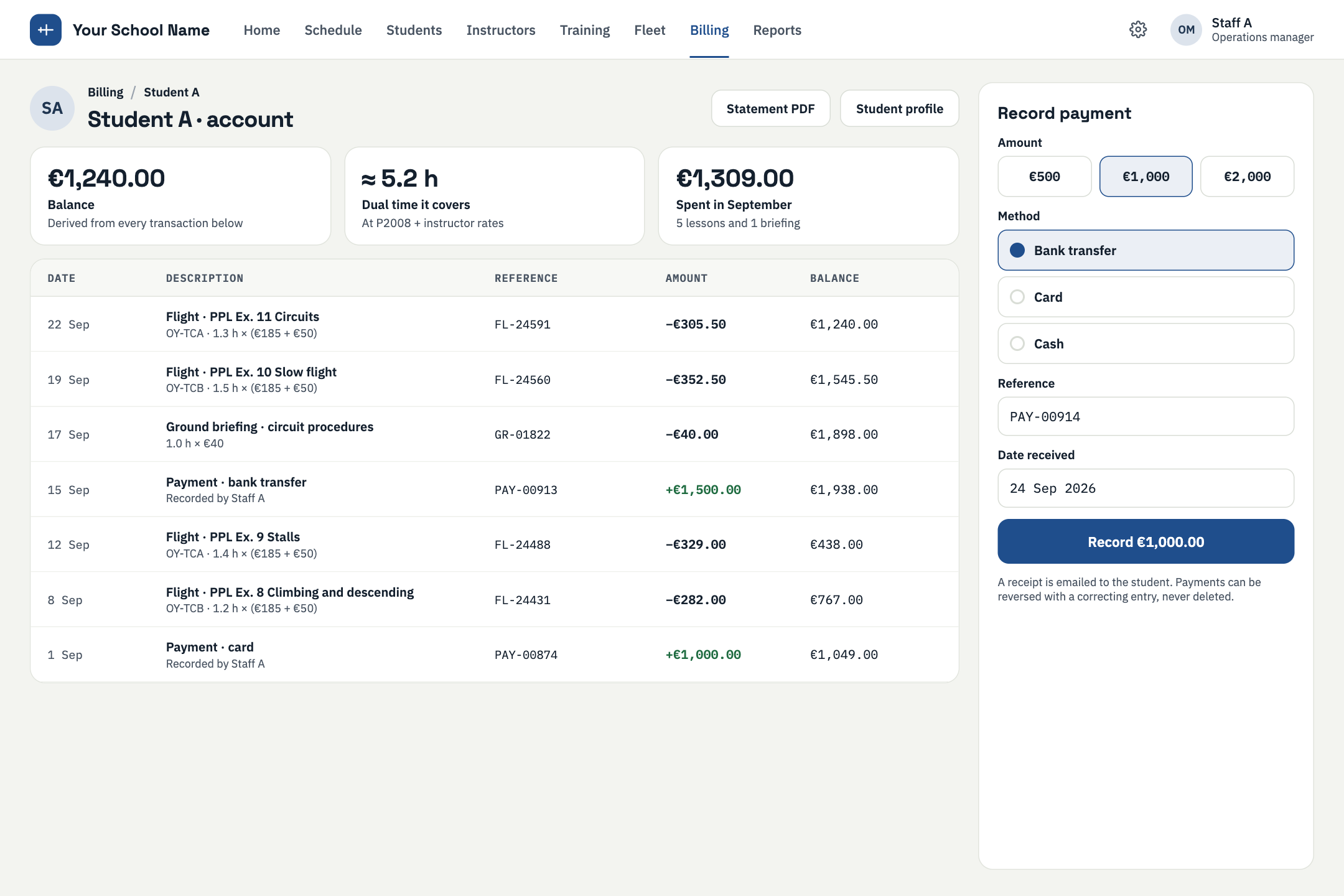
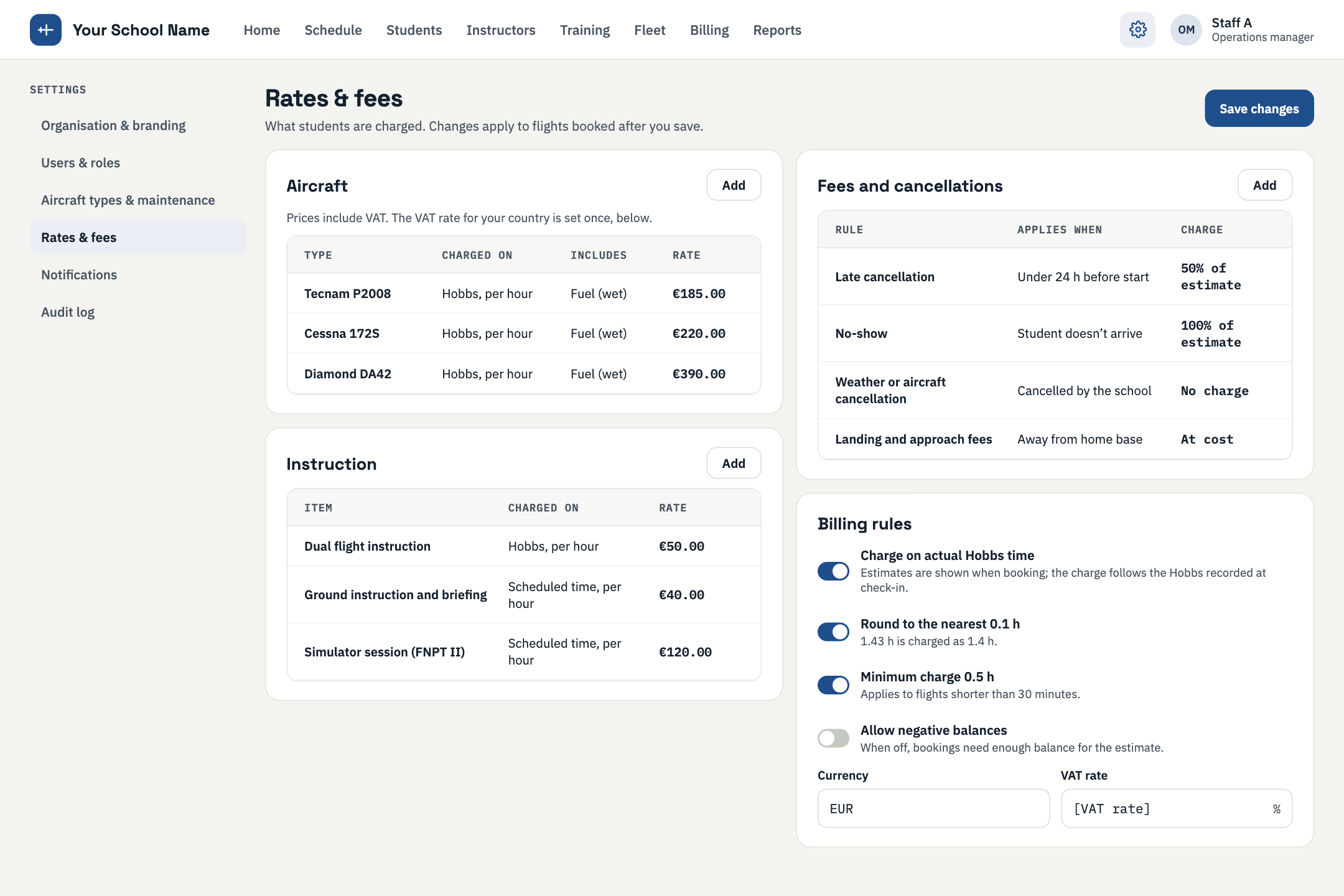
Each student has a wallet. Every charge and payment is an entry in an append-only ledger, so entries are added and never edited. Programme prices and per-aircraft hourly rates are set by your school. Balance warnings appear when a student is running low, and an instructor can override with a recorded reason.
Pricing is per active aircraft per month, with unlimited users. Each aircraft is charged at its own band price, with no cliffs between bands. See the pricing page for the current figures.
Your school owns its data and can export it at any time.
White-label is planned as an add-on for larger schools: your name, your domain and your app, on web and mobile. It is not yet available.
EASA is the first regulatory focus. Middle East and FAA support are planned for later.
You import your syllabus and your fleet, keep ownership of your data, and can export at any time.
ARR · TOUCHDOWN
A short call. We show the product and answer your questions.